
An Oopbuy buying guide, from your first link to the parcel
Follow the official eleven-step sequence with matching images and practical decisions at each hand-off.
These are the eleven stages of Oopbuy’s official Tutorial, in its published order. They illustrate the standard buying and parcel flow; do not assume every DIY or Mall purchase has the same return rights. Images show the 2024 interface, with privacy-redacted renditions where needed. Prices and promotions are historical examples. Official tutorial.
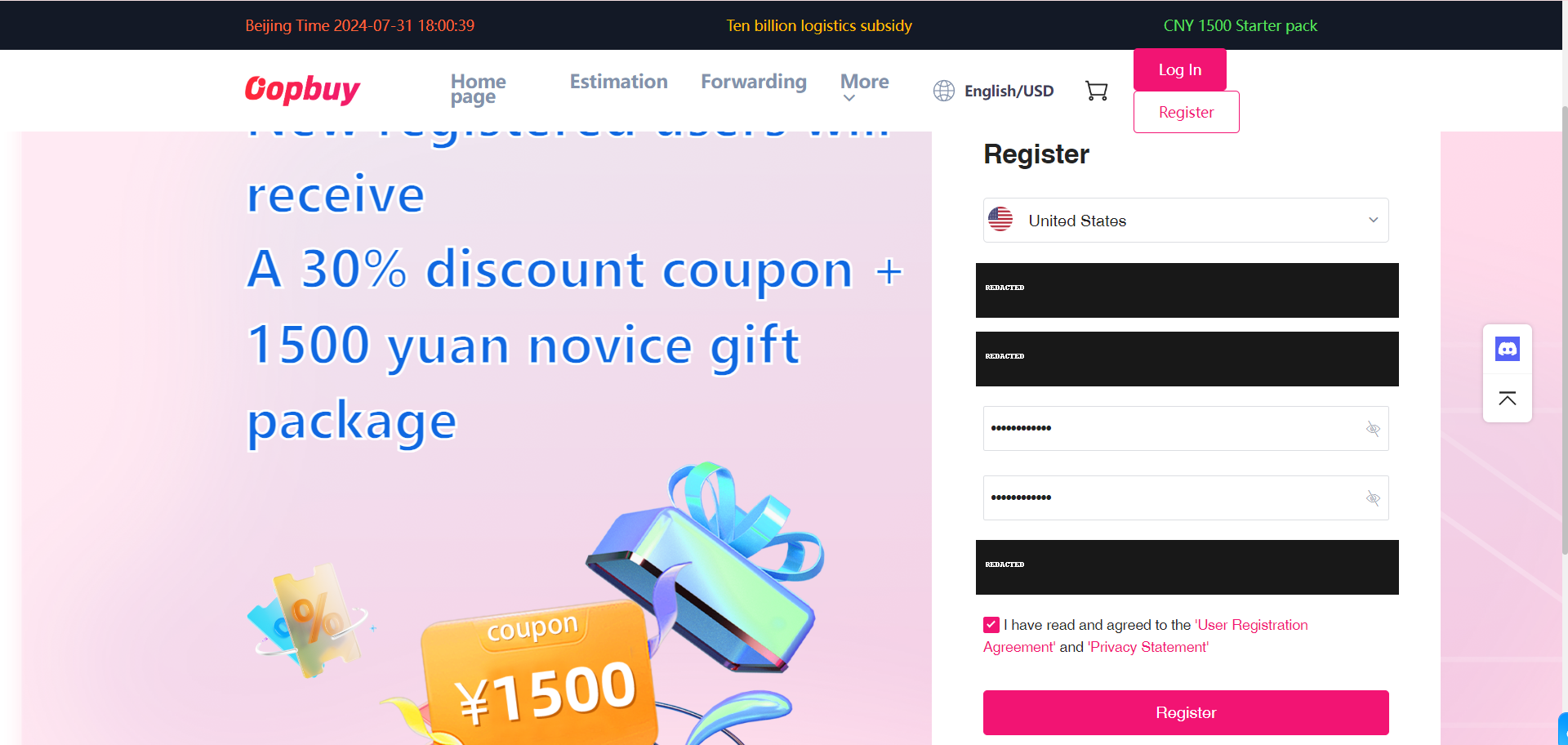
Register on the agent website
Create your own account on Oopbuy before saving or paying for an order. Check the site address and keep account credentials private. This catalogue and its link sorter cannot log in for you. If you use a referral link, read the sign-up terms; the ordering method is still determined by the item you choose.
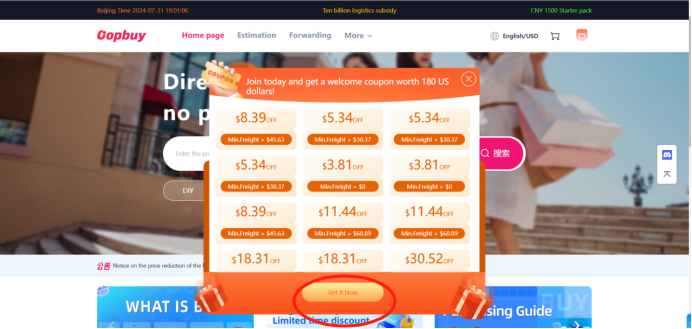
Read the coupon conditions
The tutorial next shows claiming a coupon. Treat it as a conditional discount, not spendable balance. Identify whether it affects a product purchase or a parcel, when it expires, and which lines or order values qualify. The bundle pictured belongs to the old tutorial and is not a live offer on this guide.
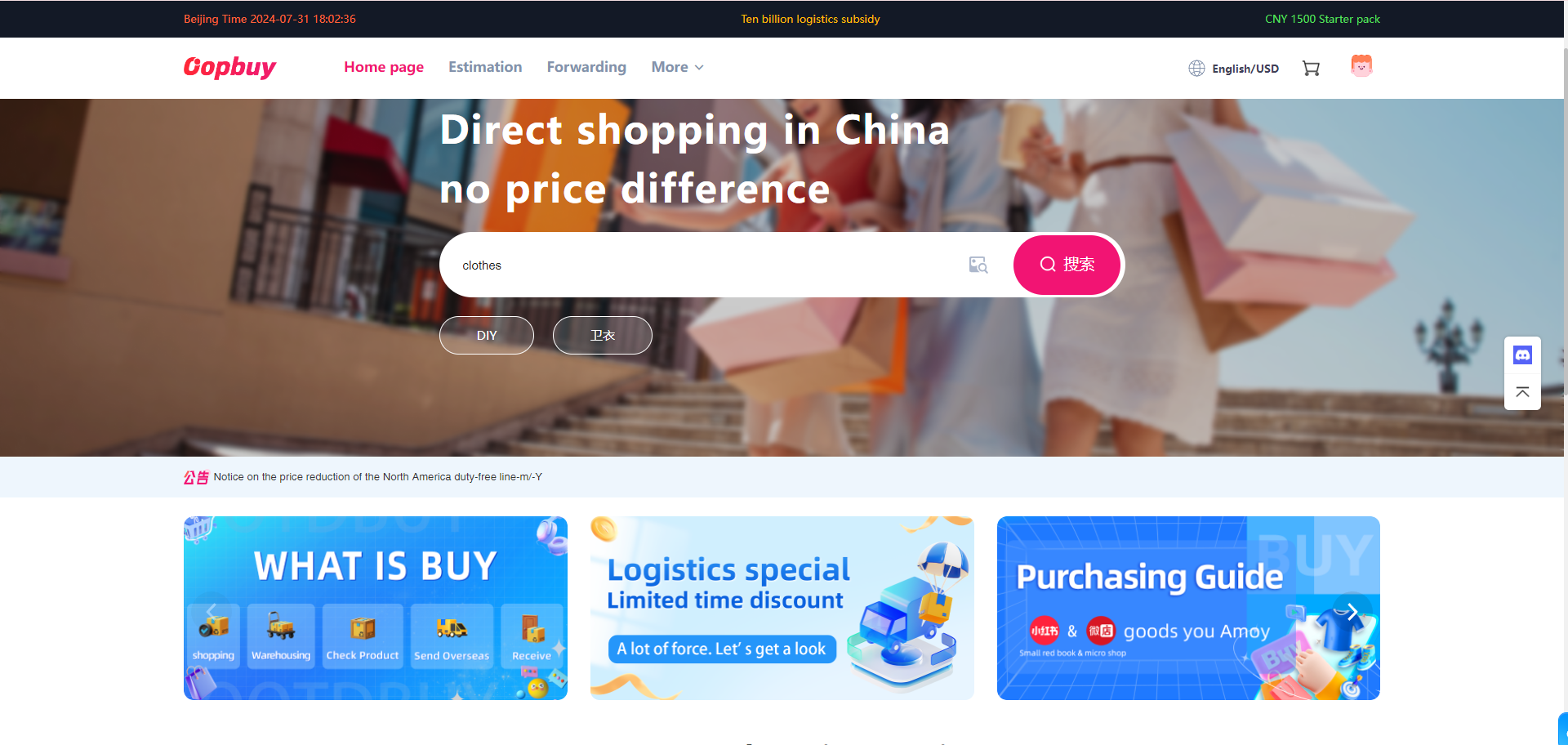
Search for your intended listing
Paste the seller link or search for an item. Check which results tab and seller you open: similar photographs do not make an agent order and a Selection listing the same transaction. If the link cannot be captured, pause and read the DIY instructions rather than filling in guessed specifications.
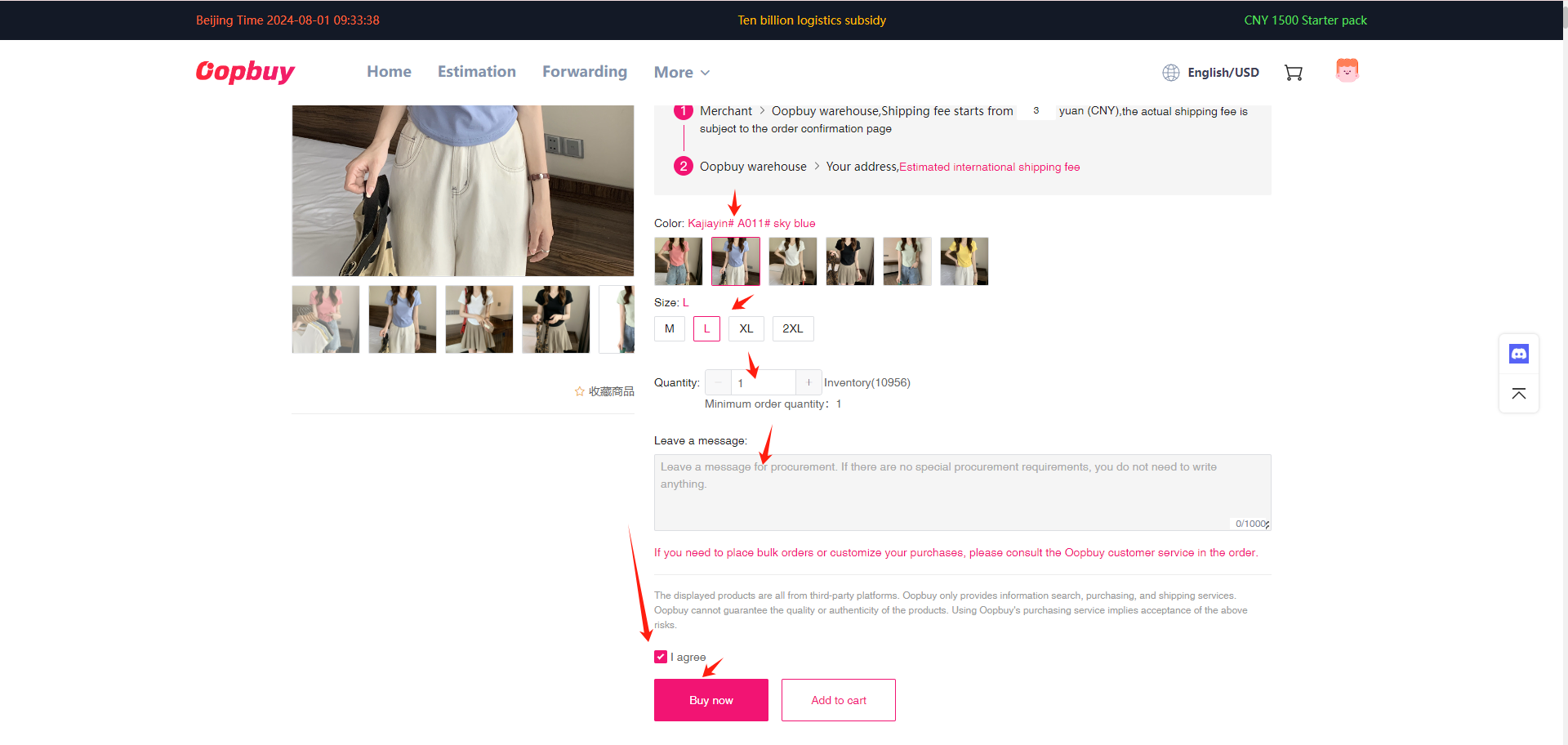
Commit to a specific variant
Select style, size and quantity on the product page. Compare the size chart with an actual measurement you know, then check the seller’s domestic delivery and any minimum order. Record the chosen variant before checkout; a support request later needs more detail than “the item in the picture”.
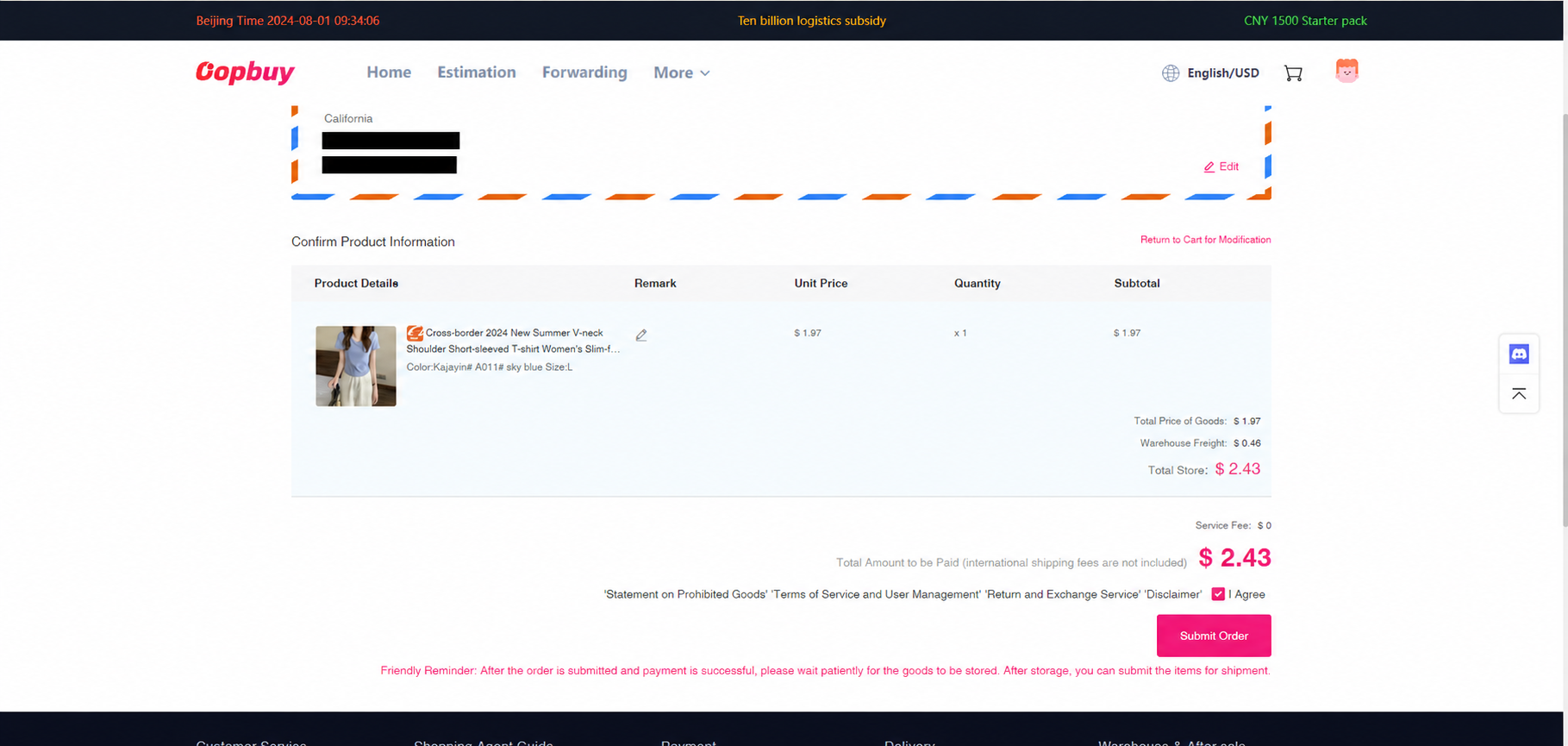
Check the first checkout
Verify the information requested for the order and the item amount before paying. The product bill and domestic freight are different from the later international parcel bill. If a seller changes a price or availability, read the explanation before accepting a supplement. A currency display is not a guarantee that your bank charges nothing.
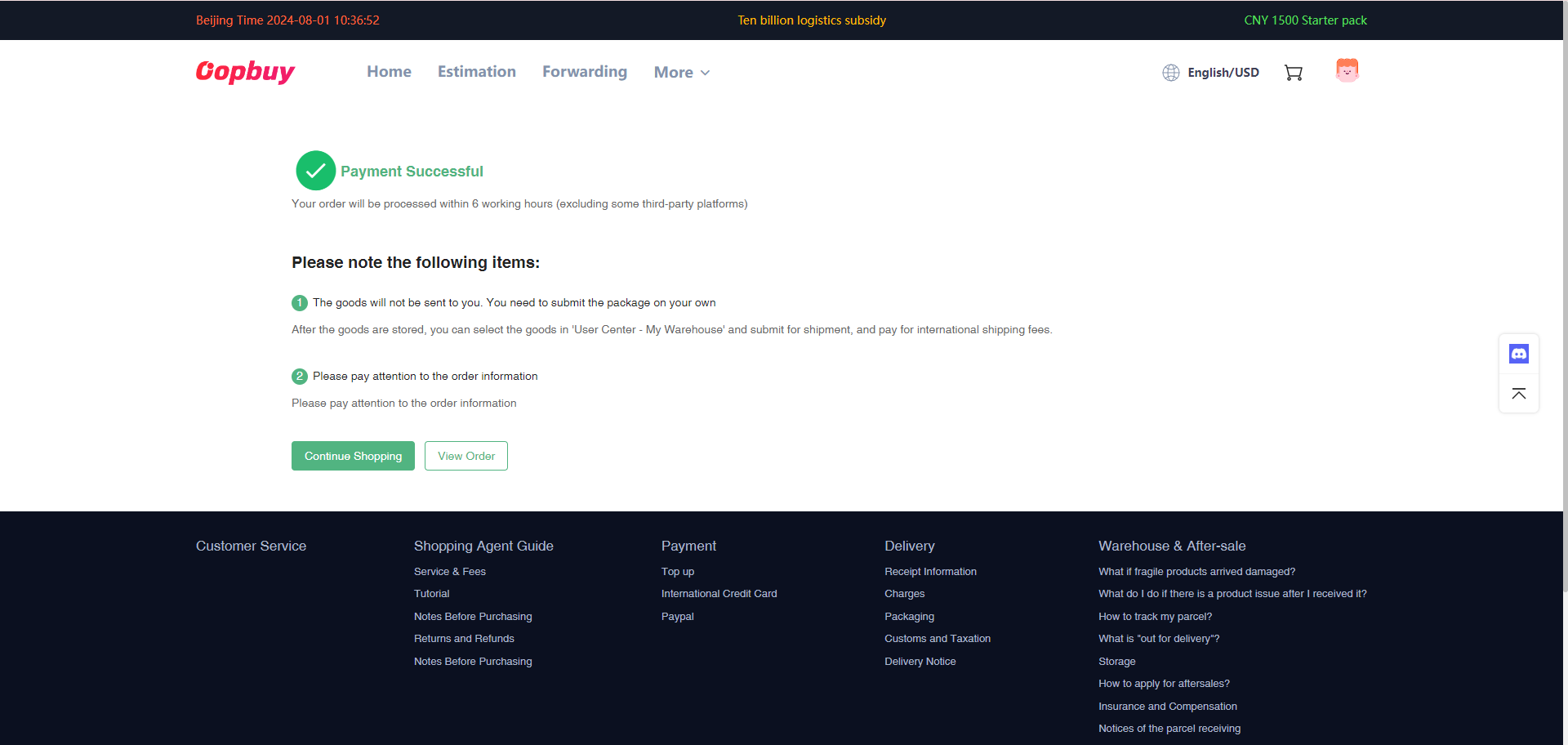
Follow the order status
The payment confirmation leads to View order. Check that record for the agent purchase, seller dispatch or any question needing your reply. Keep conversations attached to the correct order. Paid, purchased and stocked in are different stages; only a parcel that has been submitted and dispatched has an international tracking journey.
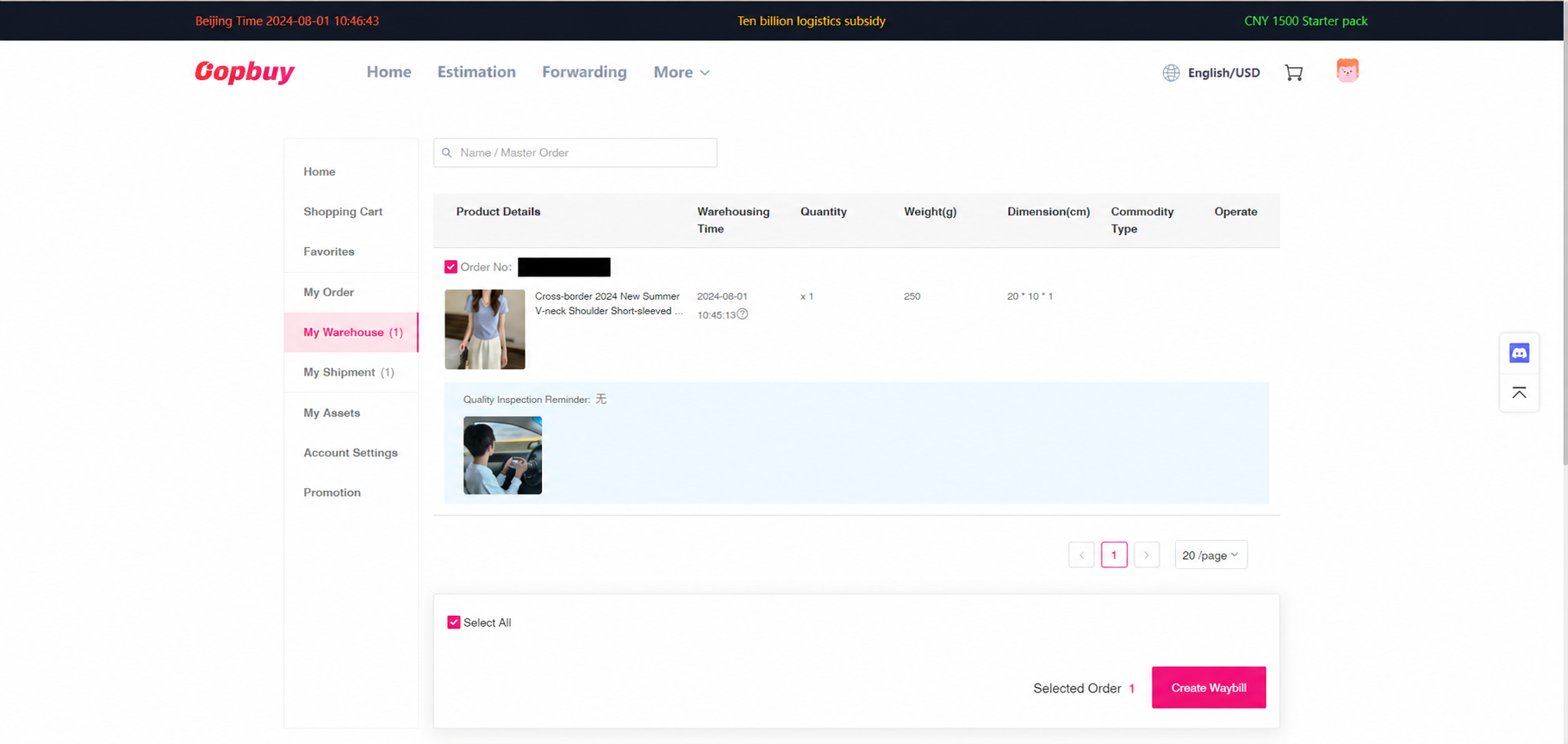
Review items in My Warehouse
When goods are recorded in the warehouse, compare the real QC photographs with your saved variant and seller description. Look for quantity, labels and visible condition. Request a precise extra view if you cannot decide. Select items for Create Waybill only after resolving concerns and checking that waiting for other items will not consume a relevant deadline.
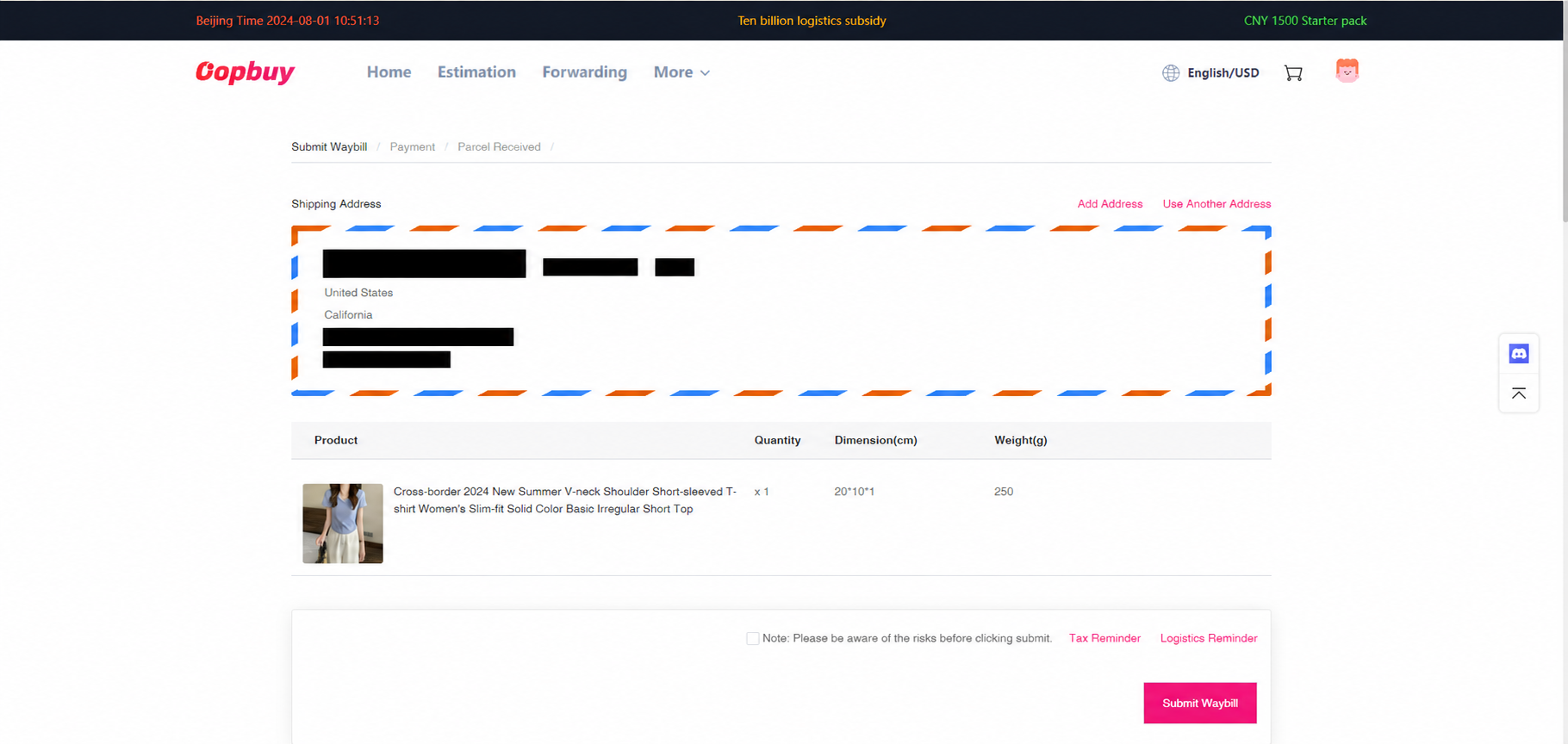
Prepare the waybill
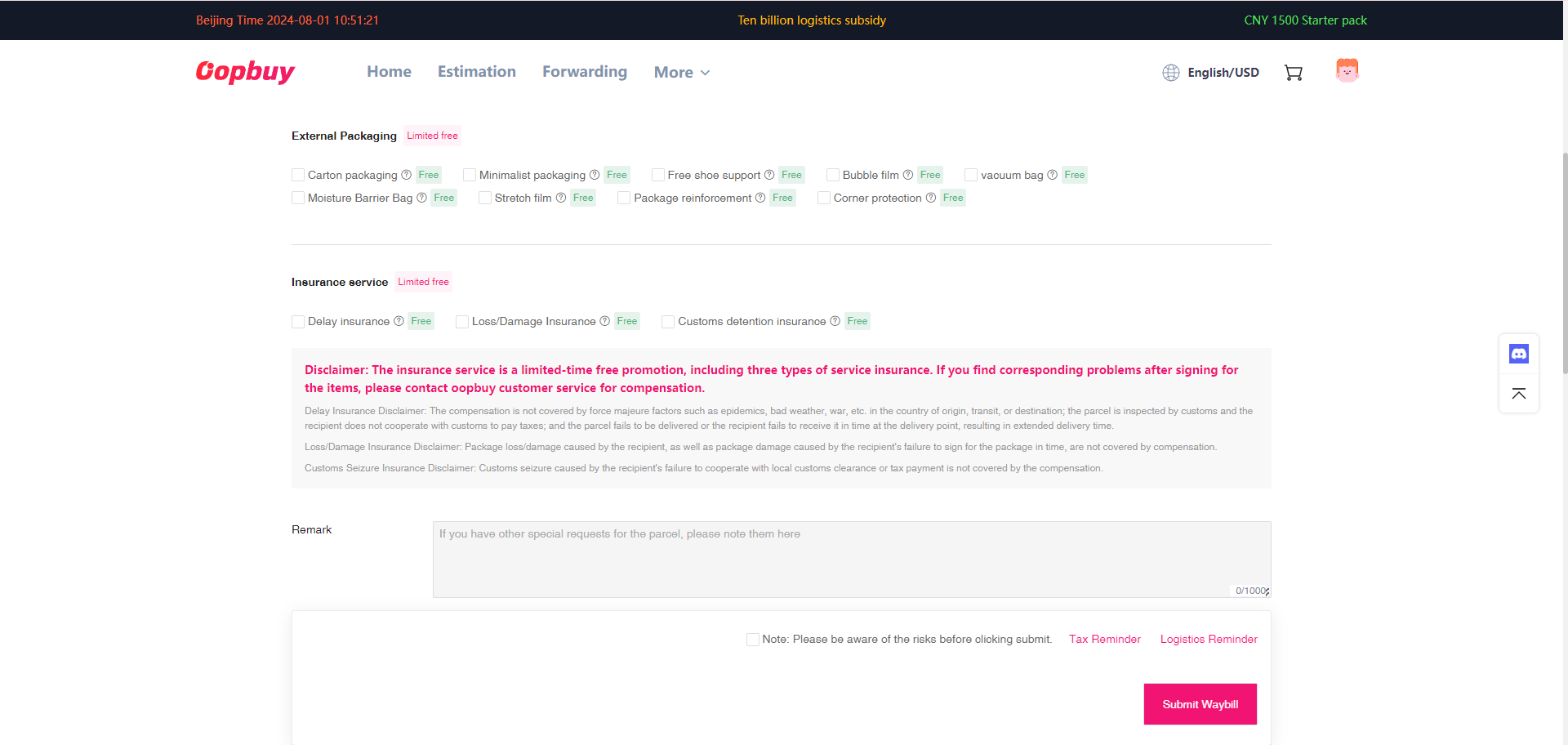
Review the recipient details, selected items, packing and available protection. A line must accept the contents and destination of the whole parcel. Do not assume two items can share a box just because both are in storage. The official step has three screens: address and goods, packaging options, then the payment review.
Fund the estimated freight
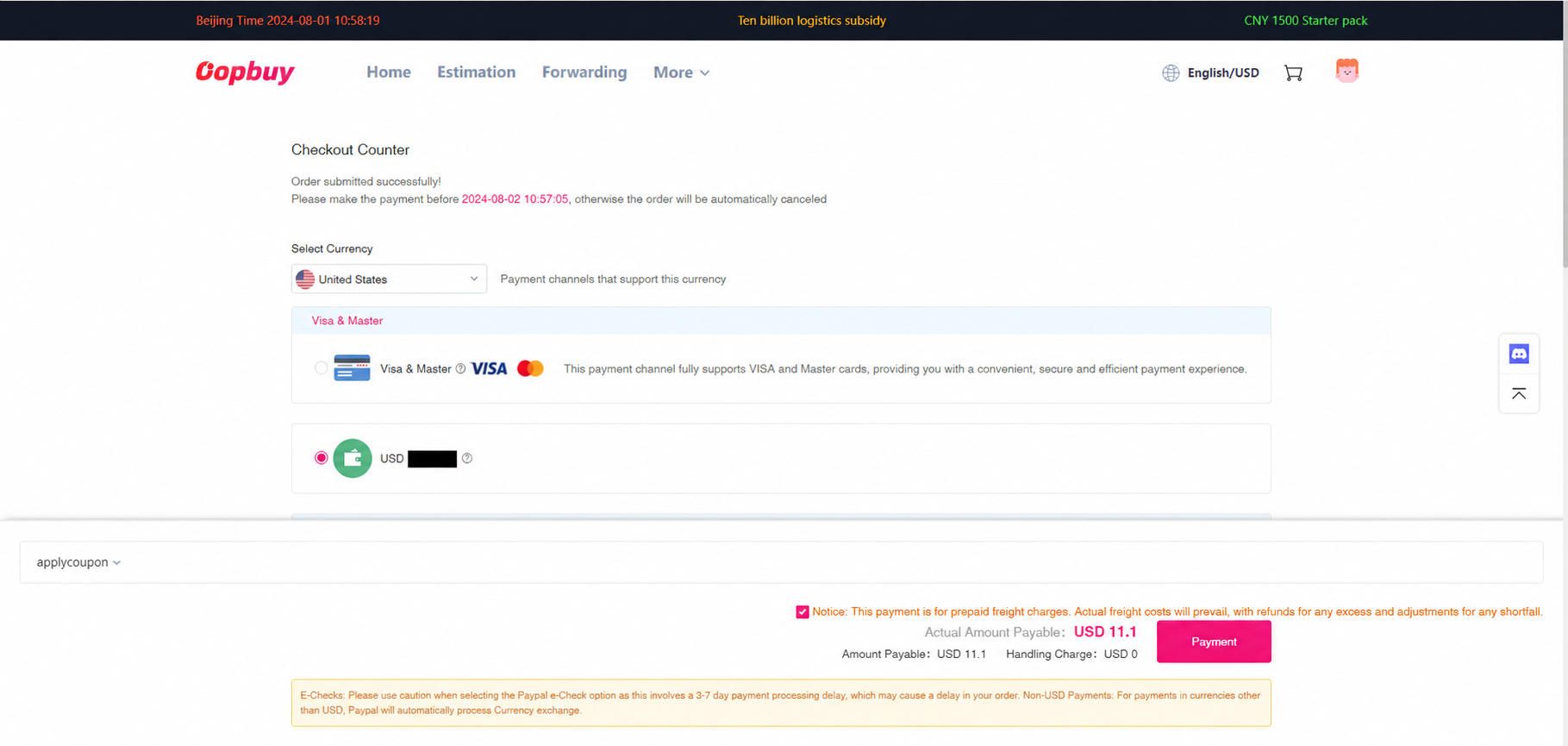
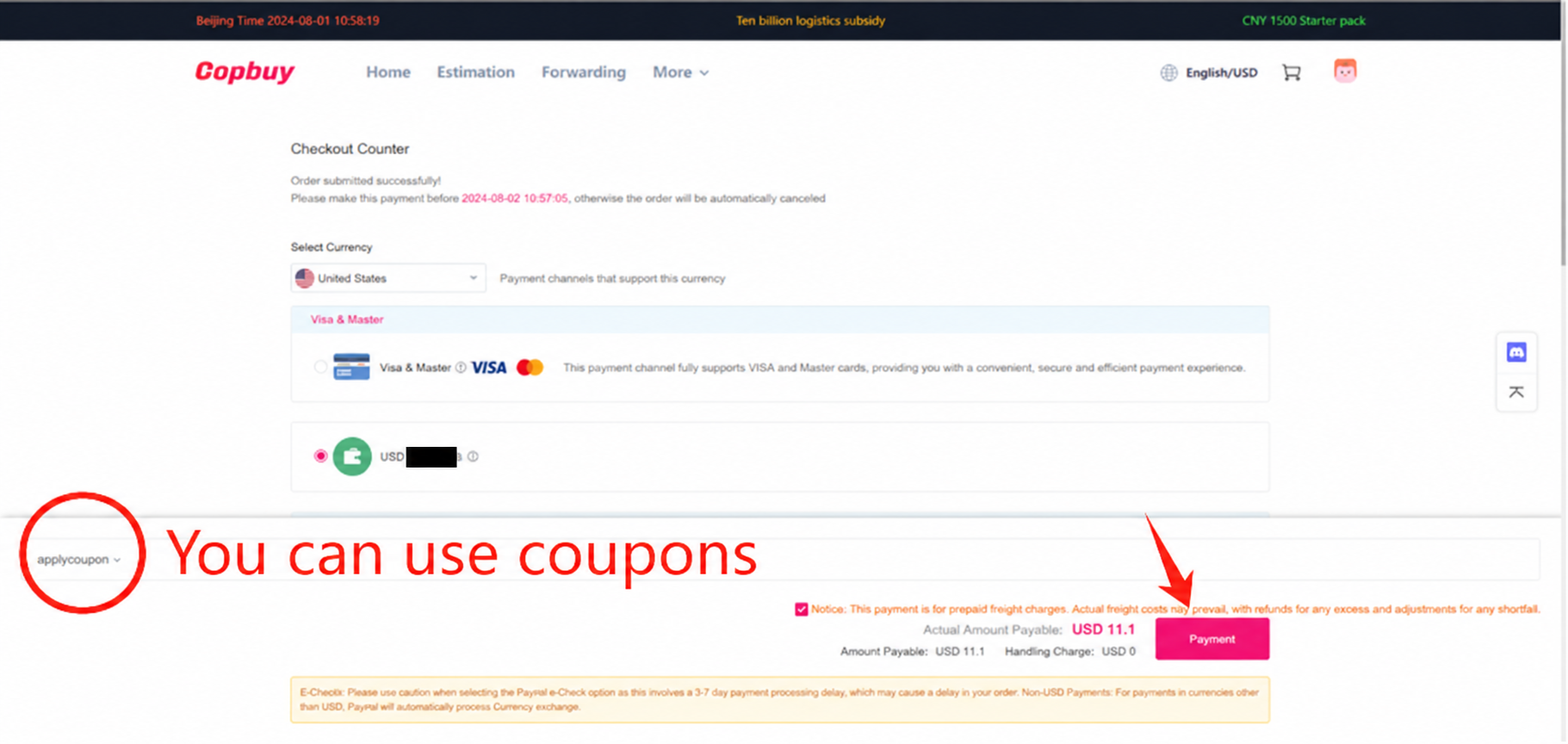
Check the line and the amount due at the shipping stage. In the tutorial this is a prepayment based on estimated freight, with a coupon control beside it. Keep the item bill separate in your records so you can recognise the later parcel adjustment. The screenshot’s sample currency and amount do not quote your shipment.
Settle the measured parcel
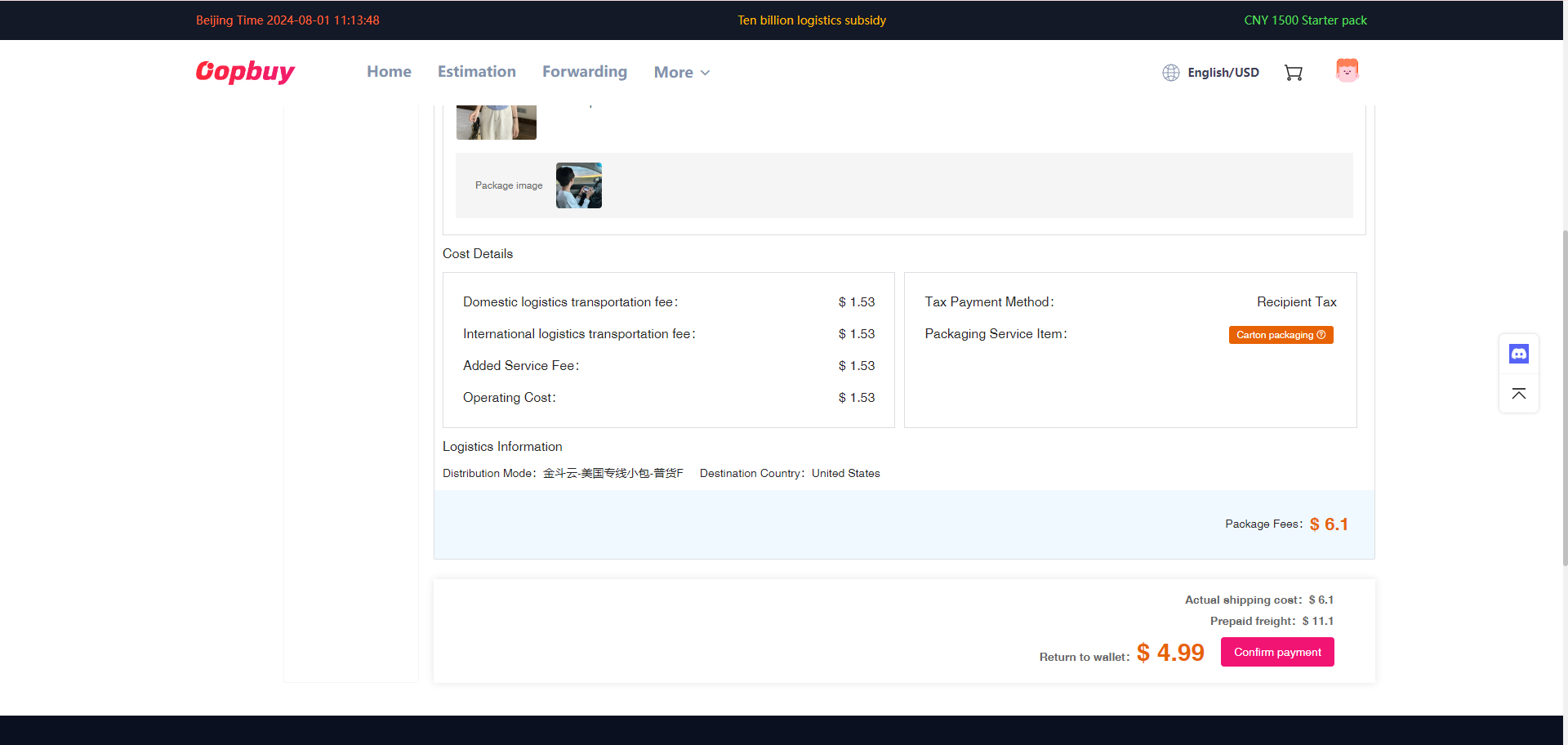
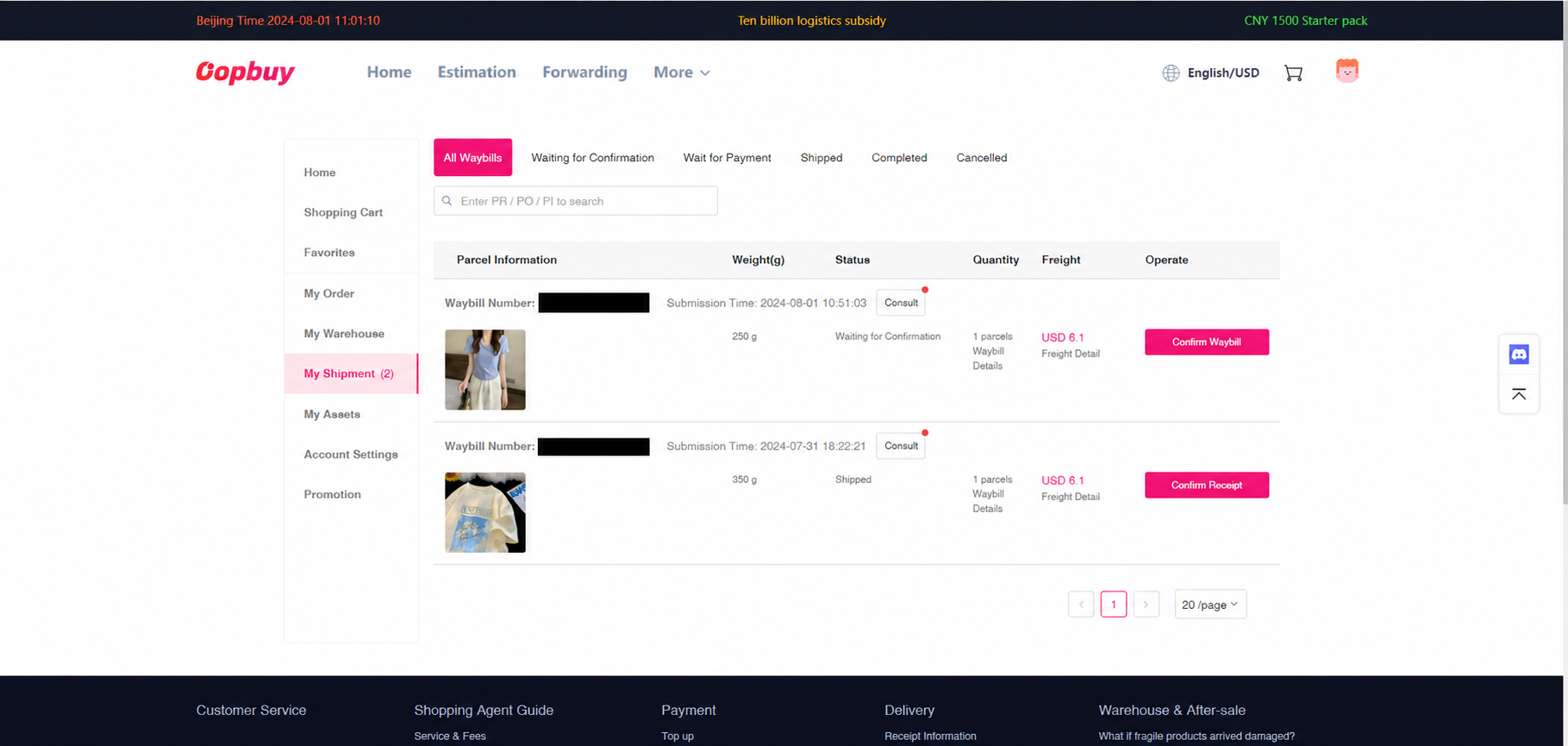
After packing, look for the actual shipping amount in My Shipments. Compare the route, dimensions, chargeable weight and chosen extras against the estimate. The official process allows a shortfall to be paid or an excess to be returned to the account. Ask about an unexplained change before assuming it is another purchase of the same goods.
Track, receive and retain evidence
After dispatch, open the waybill tracking. A carrier label can exist before a pickup scan, so read the event and time rather than only the status colour. At receipt, keep the package, labels and evidence of any visible problem. Use the relevant parcel support channel promptly and check the applicable claim conditions.
Make the next decision with the right evidence
If the issue concerns the seller’s item, start with its saved listing, variant and warehouse photos. If it concerns transport, start with the parcel line, packing record and tracking events. Separating these records makes a support request clear and prevents a shipping rule being mistaken for a product guarantee.
Return and inspection differences · Complete cost and packing notes · Help and common questions